
Your shortcuts
Independent hotkeys and adjustable values in the app.
Explore what your companion can do, and find the right controls for the worlds you play.
Try a few controls right here. This interactive preview shows how settings change a scene; your game controls live in the Windows app.
Explore the feature guide
Health, energy, damage and currencies vary by game. See the exact controls and current compatibility on each game page.



Choose supported camera, movement and interface controls. Some abilities require progress in the game before they can be used.


In-game displays, health bars and waypoints have different availability across the library. Beta entries are labelled in the catalog.

Save features, values and shortcuts from every section of one game together. Every supported game has one dedicated Profiles tab for your named setups.
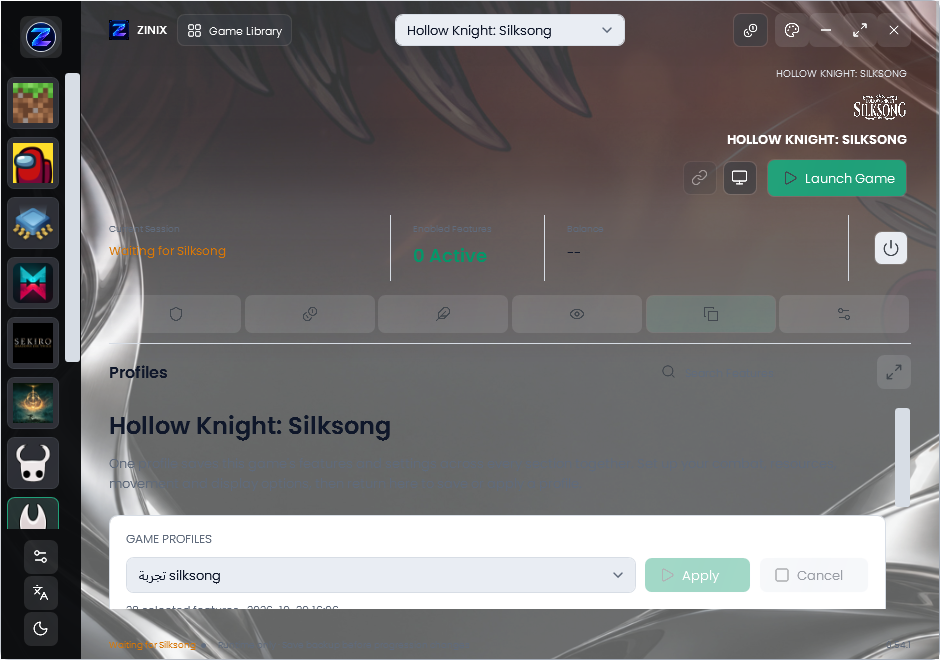
Choose features and adjust values across any of the game’s sections.
Open Profiles, name your setup and save. Update, rename or delete it there.
After reopening ZINIX, select the saved profile and press Apply.
Profiles stay local to your account and device. Features require the normal game connection and active access. Currency, unlock and other one-time actions are not repeated.
Independent hotkeys and adjustable values in the app.
Automatic detection, with an optional custom executable path.
Your existing account, profile and server-verified access.